

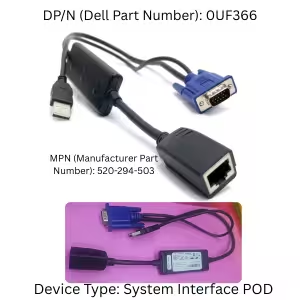
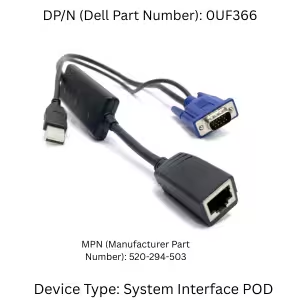
Dell 0UF366 USB IP KVM Console Switch Adapter Cable
Original price was: 10.000 .د.ب.8.000 .د.بCurrent price is: 8.000 .د.ب.
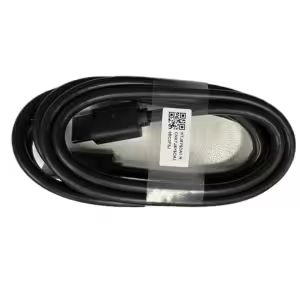
The Dell 0UF366 KVM Cable (Part Number: 520-294-503) is a high-performance System Interface POD (SIP) designed to connect your Dell PowerEdge servers directly to an IP KVM console switch. By converting standard VGA and USB signals to run over a single network cable, this plug-and-play adapter eliminates rack clutter and provides secure, out-of-band remote server management for your data center.

Description
Running a server room takes time. Thus, you need good gear. First, you need the dell 0uf366 kvm cable. This pod links your server to a switch. As a result, you can work from your desk.
How the dell 0uf366 kvm cable Works
Old setups used thick wires. But, this small tool is much better. First, grab your dell 0uf366 kvm cable. Next, plug it into your server. After that, attach a network cord. Inside, a smart chip reads the data. Then, it sends the signal to your switch. Therefore, you manage your server from far away. Also, this stops system crash errors.
Key Features of the dell 0uf366 kvm cable
-
Real Part: We sell the genuine Dell pod. Dell calls this the dell 0uf366 kvm cable.
-
Clear Video: Also, it gives you one standard VGA plug.
-
Easy Typing: In addition, it has a USB port. So, it runs your mouse and keyboard.
-
Fast Network: Meanwhile, an RJ-45 port sends data out.
-
Quick Setup: Finally, you do not need drivers. Just plug it in to start.
Key Features of the dell 0uf366 kvm cable
-
Authentic Hardware: We offer the genuine Dell pod. Officially, the brand calls this the dell 0uf366 kvm cable.
-
Video Input: Additionally, you get one standard VGA plug for clear video.
-
Data Connection: In addition, it includes a USB Type-A plug. Thus, it securely handles your mouse and keyboard.
-
Network Output: Meanwhile, an RJ-45 Ethernet port sends the signal to your central switch.
-
Plug-and-Play: Finally, you do not need software installations. Simply plug it in for immediate use.
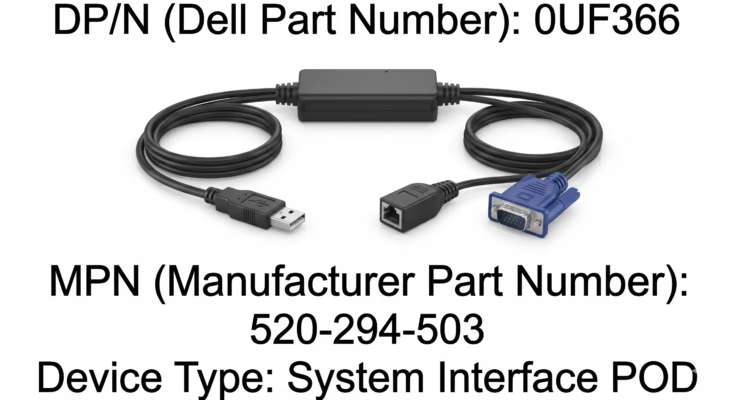
Genuine Dell 0UF366 USB KVM Cable MPN 520 294 503 System Interface POD Available at BrillMindz IT Solutions in Hoora Bahrain Contact us via WhatsApp at +973 36076207 for orders
Compatibility & External Resources
This adapter provides seamless integration with PowerEdge servers. Furthermore, it is designed to link directly with Dell PowerConnect switches (such as the 2161DS or 2161AS). If you are upgrading your server racks, please browse our complete catalog of server accessories and hardware to keep your business running smoothly.
Finally, for more technical specifications regarding remote console configurations, please visit the official Dell Support website.
Reviews (0)
Be the first to review “Dell 0UF366 USB IP KVM Console Switch Adapter Cable”
Related products
Accessories
Accessories
Accessories
Reviews
There are no reviews yet.