


Lenovo 4K Webcam with Built-in Microphone – Mini HD Series

Original price was: 13.000 .د.ب.12.000 .د.بCurrent price is: 12.000 .د.ب.
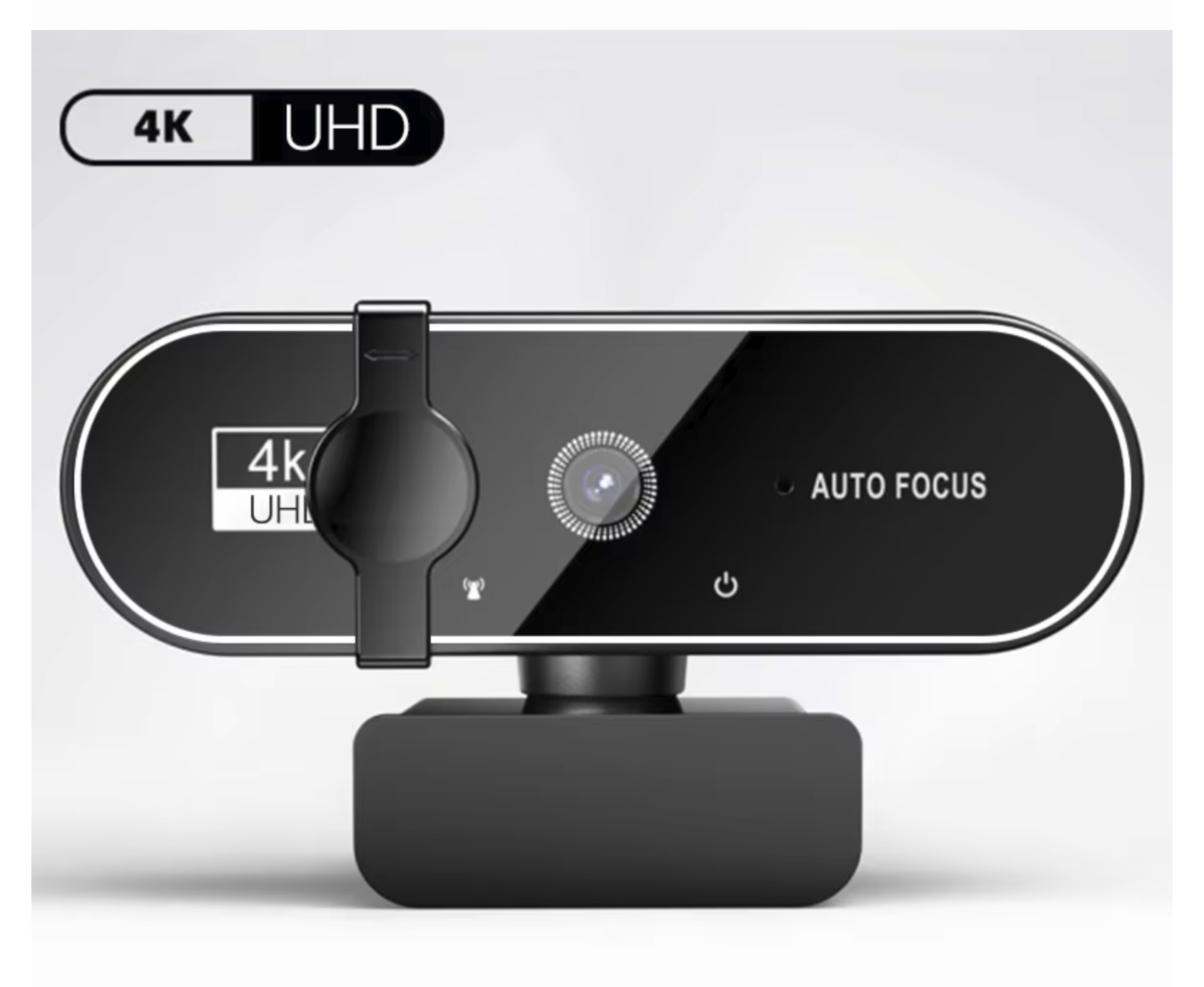
Experience elite video quality with the Lenovo 4K HD Mini Webcam. This Ultra HD camera delivers stunning details for every call. Furthermore, it features a built-in microphone for very clear audio. Because it uses a simple USB setup, you can start your meetings instantly. Therefore, it is a perfect choice for work and streaming.

Description
Ultra-Clear Video with the Lenovo 4K Webcam
First, you can easily improve your virtual calls with the Lenovo 4K Webcam. This professional camera provides sharp Ultra HD resolution for every user. Therefore, your video looks very smooth during every single call. It works well in a large office or a small home workspace. Furthermore, the small mini design fits any modern laptop. As a result, you will always look professional to your remote team. These units use high-quality lenses to capture every detail. Therefore, you get clear colors on every single meeting. Also, this equipment helps you save money without losing quality.
Why Pick the Lenovo 4K Webcam?
Good video gear is vital for clear talk in the digital age. For this reason, this Lenovo 4K Webcam has great features for your daily use:
-
4K Ultra HD Clarity: To start, enjoy high resolution for very realistic video.
-
Mini Compact Design: In addition, the device is very easy to carry.
-
Clear Audio: Specifically, the built-in mic captures your voice very well.
-
Easy Setup: Furthermore, the Lenovo 4K Webcam is a true plug-and-play USB device.
-
Secure Clip: Most importantly, the sturdy mount stays safe on any screen.
-
Wide Use: Finally, it works with all major meeting apps.
Professional Results with your Lenovo 4K Webcam
When you choose this hardware, you get long-term quality. Every unit provides a very good view for streaming or work. Therefore, you do not have to worry about blurry shots or lag. Instead, the Lenovo 4K Webcam adjusts to give you the best view. If you need a stable camera, this model is the best choice. It gives you the audio and video you need for all professional tasks.

Quick Installation Guide
To start, just plug the USB cable into your computer. Since the Lenovo 4K Webcam needs no extra software, you can start in seconds. Also, the sturdy build keeps the camera in place. This ease of use makes it great for students and leaders alike. In short, it is a smart choice for any desk.
At BrillMindz IT Solutions & Sales WLL, we sell the best mobile accessories in Hoora. Compare Web Camera Features
Reviews (0)
Be the first to review “Lenovo 4K Webcam with Built-in Microphone – Mini HD Series”
Related products





Accessories


Reviews
There are no reviews yet.